

















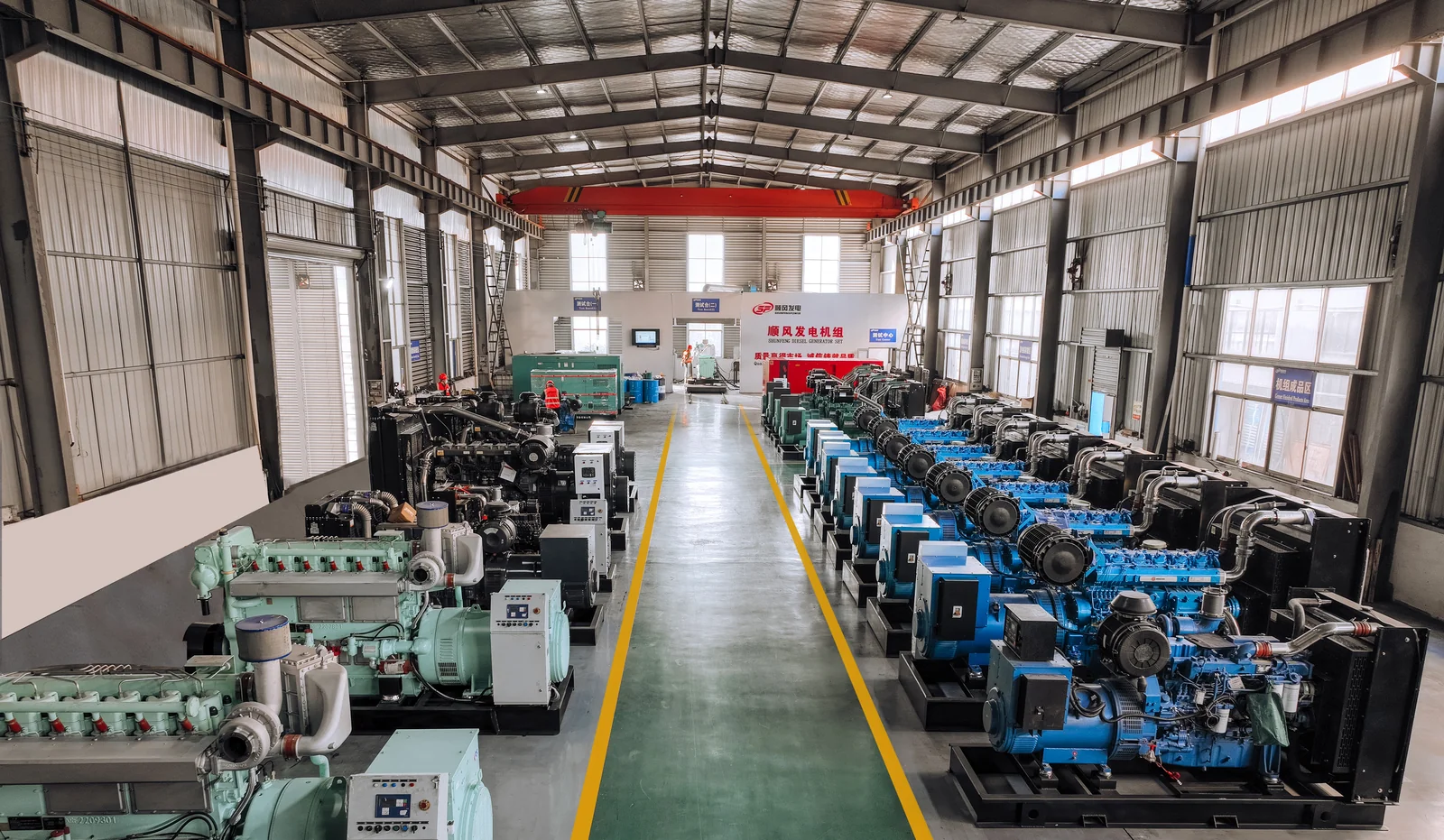
1. Build the first batch around jobs you can support
Start by separating units intended for stock from units already assigned to a customer or project. Stock units need a clear range of uses that your sales and service teams can explain. A project unit needs the actual load list, installation conditions and acceptance criteria. Mark the intended use against each line of the first purchase order. This helps you avoid selling a stock configuration into a site that requires different controls, emissions documentation or operating duty.
Build a short market brief with your sales and technical teams. List the applications you expect to serve, such as building standby, rental or remote operations. Add the electrical systems actually used by those customers, their expected run patterns and any unusual starting loads. For rental, also document how frequently the units move, how they are handled and who checks them between hires. For standby, identify the transfer arrangement and the largest loads expected to return after a power failure. A short brief based on actual jobs is a better basis for stocking decisions than a list of popular kVA values.
Decide which equipment and services your team will handle locally. Ask who can install and commission the first units, what service tools are available and which spare parts your technicians can identify by model. If you intend to source a transfer panel or an external tank locally, define its interfaces before confirming the generator package. Decide whether your first batch should concentrate on one repeatable configuration or include a second version for a confirmed application. Each additional variant adds a set of parts, documents and training needs.
GOODWIND's distributor information describes how to start a cooperation discussion and submit OEM or private-label requirements. The next step is to turn those requirements into an order specification that sales, engineering and service can all use.
2. Agree the electrical configuration as one package
Put the proposed generator model and revision at the top of the configuration sheet. Record electrical kW and kVA, the declared power factor, the duty rating, the frequency, the phase arrangement and the voltage at the terminals. On a three-phase system, identify line-to-line voltage and any required line-to-neutral voltage and neutral connection. Give the supplier the expected load sequence and the installation conditions, including altitude, ambient temperature and enclosure. Ask for the output and suitability of the offered configuration at those conditions. The Cummins generator-set application manual gives background on these inputs.
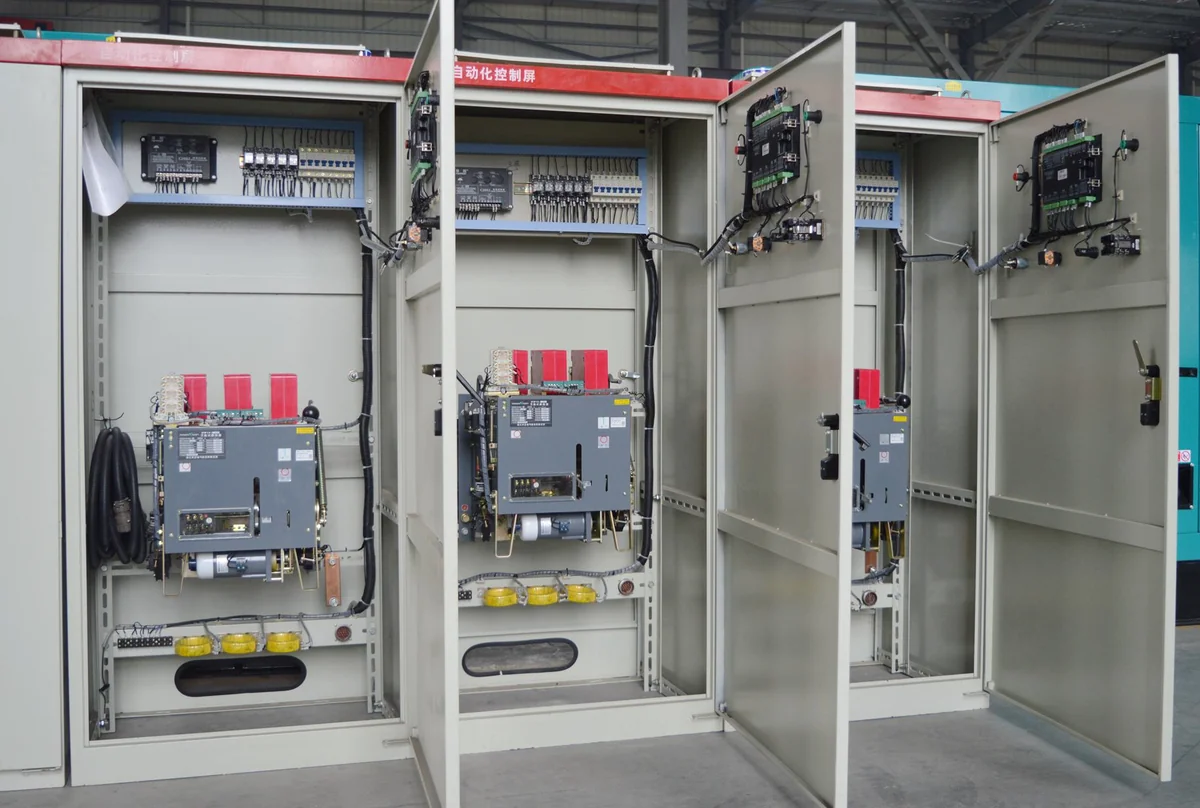
Record the exact engine, alternator and controller models alongside the relevant options. For the alternator, ask which winding, connection and rating apply to the proposed voltage and frequency. Confirm the output breaker and cable entry, then identify any separately supplied transfer equipment or customer controls. Agree which signals cross the package boundary, who wires them and who demonstrates the sequence at commissioning. The GOODWIND diesel generator range is a starting point for identifying an engine family. Use the quotation and approved technical sheet to identify the unit being ordered.
What changes when a distributor needs a second electrical version?
Consider a first batch planned for 400 V, 50 Hz applications. One customer needs 208 V, 60 Hz. Open a separate distributor stock keeping unit (SKU) for that request and have the supplier review it as a separate electrical configuration. The engineering review needs to cover engine output at the proposed speed, alternator winding and connection, available rating, output current, switching and protection, and any local transfer equipment. The supplier's approved sheet should follow that SKU into the quote and technical file. The STAMFORD | AvK alternator guidance explains why winding design and operating voltage must be considered together.
Give the receiving and service teams a short cross-reference. For each SKU, record the factory model, electrical variant and configuration revision. After manufacture, record the serial numbers actually supplied against each line. This lets the warehouse distinguish two visually similar machines and gives service staff a route from the sales code to the correct drawing or part.
3. Approve branding, nameplates and unit identity
Keep a separate artwork approval for each item the buyer wants changed. List the canopy finish and colour reference, logo size and position, decal material, panel language and any branding on manuals or cartons. Send vector artwork or another agreed production file, and identify who can approve proofs. Compare the proof with the proposed enclosure and access doors so that a decal remains readable and a door, control display or warning marking remains usable. For the first units, agree which items need a proof, sample or production photo and when each must be approved.
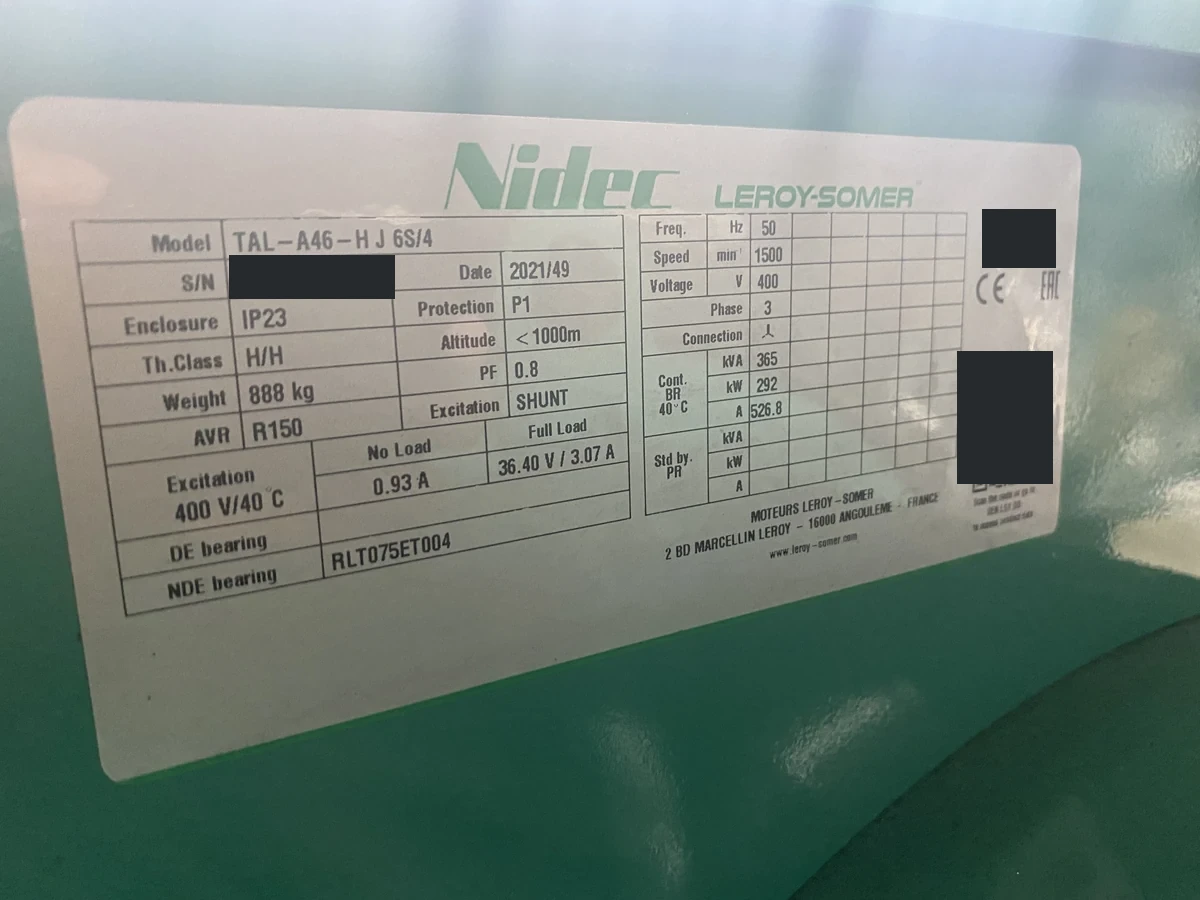
Use a second check for technical labels. Confirm the generator-set model and serial number, the electrical rating fields, the required identification and safety information and the language where applicable. Connect that serial number to the installed engine and alternator identifiers and to the documents the service team will need. Keep buyer branding, generator-set manufacturer identity and component brands as separate fields. If local rules or customer specifications require additional markings, have the distributor identify the applicable requirements and agree the exact data and responsible party before approving the label.
GOODWIND's published distributor information invites buyers to submit artwork and requirements for colour, labels and documentation language. The GOODWIND product catalogue illustrates canopy details such as the control window, service doors and cable entry. Use the arrangement drawing for your proposed set to check where the approved artwork will go and which options belong in the order. Confirm the branding work and equipment configuration for the specific order. Where the buyer wants to market a unit under its own brand, also settle which names appear in catalogues, on the machine and in the supporting documents. The sales team should be able to make the same claim the technical file supports.
Make changes visible before production
Keep an approval date and revision for the configuration sheet, arrangement drawing and artwork. When someone proposes a substitution, record the old and new part number, the reason and the affected files. Obtain written agreement on the revised configuration and any effect on price or schedule.
For example, a proposed replacement controller may support the specified remote start function. Ask whether its input terminals, alarm outputs and panel cutout match the approved design. Have your technician check the controller language and the monitoring interface. If it is accepted, update the wiring drawing, the quick-start sheet and the spares list together, then identify which serial numbers will receive the new controller. A second shipment can then repeat the agreed version or document a new change.
4. Make the technical file usable at delivery
Before ordering, agree a document list with a language, file format, delivery milestone and responsible party for each item. Artwork and arrangement drawings are needed early for approval. Wiring and interface drawings are needed before the local team makes connections. Operation and service manuals, a parts list and agreed test records should follow the equipment or be available by the agreed handover date. For a multilingual order, confirm whether each requested language applies to controller screens, safety labels, the quick-start sheet or the full manuals. Settle who checks translated technical terms against the final equipment.
Give the distributor a way to identify the right file after uncrating. At a minimum, the final pack should let a technician link the unit serial number to the relevant drawing revision, controller reference and spare-parts information. One document may cover several serial numbers when the units truly share a configuration. Where units differ, provide a clear serial-number index and label the files by variant. This matters when a local technician must replace a filter, find a terminal or answer a warranty enquiry months after arrival.
| File | What to check | Who needs it first |
|---|---|---|
| Configuration and arrangement | Approved rating, interfaces, access and drawing revision | Buyer and installation designer |
| Artwork and label proof | Placement, legibility, technical fields and language | Brand and technical approvers |
| Wiring, operation and parts files | Controller version, terminal references and applicable units | Commissioning and service team |
| Test and shipment pack | Agreed records, unit identifiers and crate contents | Acceptance and receiving teams |
Check the language pack on a representative unit during the first-order review. Give a local technician the quick-start sheet and ask them to match its button names, messages and terminal references to the actual controller and wiring drawing. Record any translation or revision mismatch before the same files go into every crate. If a second electrical or controller variant is approved, identify the file set for that variant in the handover index.
For documents requested by an authority, customer or importer, confirm the required document name, issuer, applicable equipment and destination with the responsible party. Keep this list separate from manuals and sales literature. A distributor who needs evidence for an assembled set should specify the set and configuration that the evidence must cover.
5. Agree acceptance evidence and local responsibilities
Set an acceptance plan before placing the order. For each check, write down the item to verify, the conditions, the evidence to retain and the person who can accept it. A visual check may compare the agreed artwork, enclosure openings and labels with the actual machine. Electrical checks may call for the agreed output conditions or specified alarm and protection functions. If load, step response, acoustic measurements or a witnessed test matter to the buyer, agree the method, equipment, limits and reporting scope for that order.
The GOODWIND manufacturing and quality page describes pre-dispatch testing and the documented system for measuring output, load capability and electrical parameters. Ask what evidence will be supplied for your serial numbers and which tests require a separately agreed scope. Define how open points will be corrected and signed off before dispatch. For equipment integrated with a building transfer system or distributor-supplied controls, give the site team its own commissioning plan covering the equipment and interfaces it can verify on location.
Discuss the first service call before you buy. Assign who receives it, who gathers the serial number and fault evidence, who performs local diagnosis, and how parts or further technical support are requested. Record the warranty terms and any separately priced site support for the selected equipment and destination. Ask your technicians to identify a short list of starting spares from the proposed configuration and check which parts differ across the batch. That list should follow the approved equipment as substitutions are confirmed.
6. Review packing and receipt against the final build
Ask for packed dimensions, gross weight and the handling information for the final configuration. Clarify how loose items such as silencers, tools or spare parts are packed and identified. Match each package to the order line and unit serial number where applicable. Send the actual packing data and handling instructions to the logistics provider so it can assess the planned route, equipment and securing arrangements. If a configuration change affects dimensions, weight or the number of packages, update the shipment review before release.
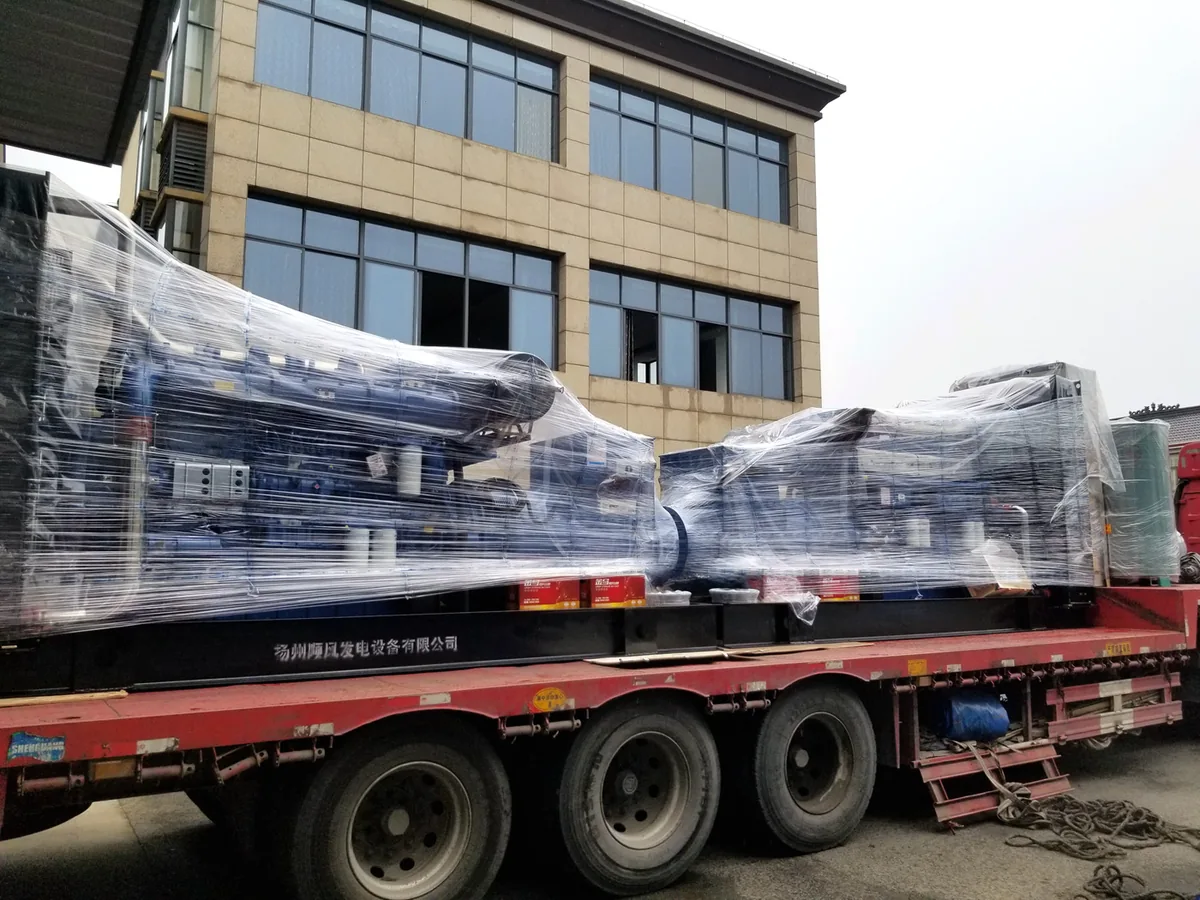
Agree who supplies the packing list and commercial documents, who coordinates pickup and who checks the goods at the receiving end. Instruct the receiving team to compare crate marks and serial numbers, document visible condition and reconcile loose parts against the list. Assign someone to review discrepancies promptly. If your first batch contains compact sets, the GOODWIND compact generator shipping guide explains what to ask for when planning container space. Use the actual packed units and current carrier requirements to confirm the shipment.
7. Close the first order with a release checklist
Use the purchase order to reference the approved documents and show which items remain open. For each open item, give the buyer or supplier a named owner and a deadline tied to the next decision. Keep commercial quantities, prices, payment and delivery terms in the order. Track engineering and branding approvals against the relevant drawings and proofs. A short release checklist gives both teams a way to find the latest decision without searching through the enquiry history.
| When | What to confirm | Record to retain |
|---|---|---|
| Before ordering | Market and use, equipment and service scope, terms, document and acceptance requirements | Signed order with referenced quotation and specifications |
| Before production release | Electrical variant, interfaces, exact components, artwork and label proofs | Approved revisions and written change decisions |
| Before dispatch | Serial-number traceability, acceptance status, final file pack and shipment details | Agreed inspection records, handover index and packing list |
Give any exception its own entry. For example, if a file can be delivered after shipment, specify its due date, the version the receiving team can use in the meantime and who has accepted the arrangement. Keep approvals that affect safety, installation readiness or contractual acceptance at the relevant release point. The release checklist should distinguish a signed decision from a question that still needs an answer.
Carry the approved first-order record forward when reordering. Ask which parts, drawings and commercial terms still apply and which have changed. If you are introducing another model, reuse the fields and approval steps while opening a separate record for the new configuration. This keeps the first order useful as a reference for your sales and service teams.
To discuss a first OEM diesel generator order with GOODWIND, prepare a brief company introduction, target markets, main customer applications, sales channels and local service capability. Include your proposed first-batch quantities, duty, frequency and voltage, any artwork and language needs, and the areas where you want technical support. Send the brief to GOODWIND so the proposed configuration and order responsibilities can be discussed together.